
Search engine optimization doesn’t have to cost a fortune. Whether you’re a blogger, small business owner, or digital marketer just starting out, there are powerful tools available at zero cost. This guide walks you through the most useful ones, what they do, and how to use them effectively.
Why Use No-Cost SEO Tools?
Paid SEO platforms can run hundreds of dollars per month. For beginners and budget-conscious website owners, that’s simply not practical. The good news? Many free options offer real, actionable data — enough to build a solid SEO foundation without spending a single rupee or dollar.
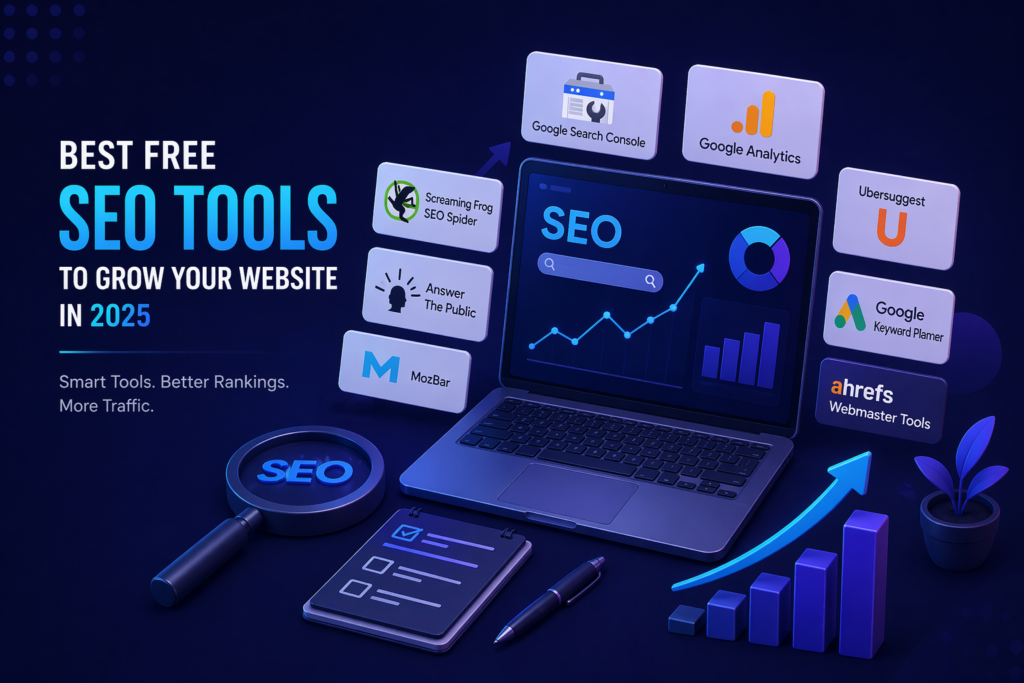
Top Free SEO Tools You Should Know About
1. Google Search Console
This is the most important tool for any website owner. It’s made by Google itself and shows you exactly how your site performs in search results.
What it does:
- Shows which keywords bring visitors to your site
- Alerts you to crawl errors and indexing issues
- Displays your average position in Google search
- Helps you submit your sitemap
How to get started:
- Go to search.google.com/search-console
- Add your website and verify ownership
- Submit your sitemap (usually
yoursite.com/sitemap.xml) - Wait 24–48 hours for data to populate
2. Google Analytics (GA4)
While Search Console shows search performance, Google Analytics tells you what visitors do after they land on your site.
Key features:
- Track page views, sessions, and bounce rate
- See which pages get the most traffic
- Understand your audience’s location and device
- Monitor traffic sources (organic, social, direct)
3. Ubersuggest (Free Plan)
Created by Neil Patel, Ubersuggest gives you keyword ideas, search volume, and basic competitor analysis — all for free (with daily limits).
Best used for:
- Finding long-tail keyword ideas
- Checking keyword difficulty
- Analyzing competitor top pages
4. Google Keyword Planner
Originally built for Google Ads, this tool is also great for organic keyword research. It shows monthly search volume ranges and keyword competition levels.
How to use it:
- Sign in to Google Ads (free account)
- Go to Tools → Keyword Planner
- Enter a topic or URL
- Browse keyword suggestions and search volumes
5. Ahrefs Free Webmaster Tools
Ahrefs is normally a premium tool, but their free webmaster tools version lets you:
- Check your backlink profile
- See which keywords your site ranks for
- Identify SEO health issues on your pages
You just need to verify your website to access it.
6. Screaming Frog SEO Spider
This desktop tool crawls your website like a search engine bot. The free version lets you crawl up to 500 URLs.
It helps you find:
- Broken links (404 errors)
- Missing meta titles and descriptions
- Duplicate content
- Redirect chains
7. Answer The Public
A great tool for content ideas. It shows you the questions, comparisons, and phrases people type into search engines around your topic.
How to use it:
- Enter a keyword (e.g., “digital marketing”)
- Choose your country and language
- Browse the visual map of questions and phrases
- Use these as blog post ideas or FAQ sections
8. MozBar
MozBar is a browser extension that shows on-page SEO metrics while you browse any website.
What it displays:
- Domain Authority (DA) of any site
- Page Authority (PA)
- Link metrics on search result pages
Quick Comparison: Which Tool Does What?
| Tool | Keyword Research | Backlinks | Site Audit | Traffic Data |
|---|---|---|---|---|
| Google Search Console | ✅ | ❌ | ✅ | ✅ |
| Google Analytics | ❌ | ❌ | ❌ | ✅ |
| Ubersuggest (Free) | ✅ | ✅ | ✅ | ❌ |
| Ahrefs Free Tools | ✅ | ✅ | ✅ | ❌ |
| Screaming Frog (Free) | ❌ | ❌ | ✅ | ❌ |
| Google Keyword Planner | ✅ | ❌ | ❌ | ❌ |
| Answer The Public | ✅ | ❌ | ❌ | ❌ |
| MozBar | ❌ | ✅ | ❌ | ❌ |
How to Build a Simple SEO Workflow Using Free Tools
You don’t need to use all these tools at once. Here’s a simple weekly routine:
1 – Set up the basics:
- Install Google Search Console and Google Analytics
- Submit your sitemap
- Install MozBar on your browser
2 – Research keywords:
- Use Google Keyword Planner and Answer The Public
- Find 5–10 low-competition keywords for your niche
- Plan your next 4 blog posts around them
3 – Audit your site:
- Run Screaming Frog on your website
- Fix broken links and missing meta descriptions
- Connect Ahrefs Free Webmaster Tools
4 – Track and improve:
- Check Search Console for keyword rankings
- Review Google Analytics for top-performing pages
- Update or improve underperforming content
Tips to Get the Most Out of Free Tools
- Don’t use all tools at once. Start with Google Search Console — it’s the most important.
- Be consistent. Check your data weekly, not just once a month.
- Combine tools. Use Keyword Planner for volume data + Answer The Public for content ideas.
- Act on what you find. Data only helps if you make changes based on it.
Frequently Asked Questions (FAQs)
Q1. Are free SEO tools good enough for beginners?
Yes, absolutely. Google Search Console and Google Analytics alone can carry you a long way. Most beginners don’t need paid tools until they’re managing multiple websites or large-scale campaigns.
Q2. Is Google Keyword Planner really free?
Yes. You need a Google Ads account to access it, but you don’t need to run any ads or spend money. The account itself is free.
Q3. What’s the difference between Google Search Console and Google Analytics?
Search Console shows how your site appears in Google search (impressions, clicks, keyword rankings). Google Analytics shows user behavior on your website (pages visited, time spent, conversions).
Q4. Can I do a full SEO audit with free tools?
A basic-to-intermediate audit is very doable. Use Screaming Frog for technical issues, Ahrefs Free Tools for backlinks, and Search Console for performance data.
Q5. How often should I use these tools?
At minimum, check Google Search Console and Analytics once a week. Run site audits once a month.
Conclusion
You don’t need to spend money to get your SEO strategy moving. With tools like Google Search Console, Ahrefs Free Webmaster Tools, Screaming Frog, and Ubersuggest, you have everything needed to research keywords, fix technical issues, track rankings, and grow organic traffic.
The key is to start simple, stay consistent, and take action on what the data tells you. Pick two or three tools from this list, set them up today, and build your SEO routine from there.
Pro Tip: Bookmark this article and use the comparison table above whenever you need a quick reference for which tool to use for a specific task.