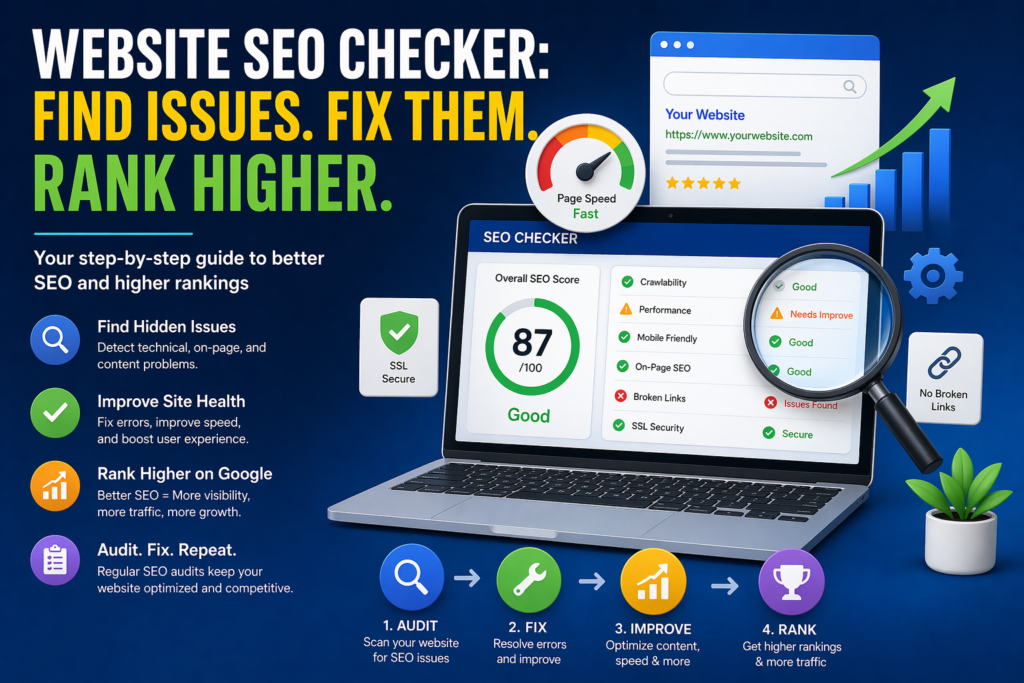

You’ve built a website. You’ve written content. But your pages are nowhere to be found on Google.
The problem might not be your content — it could be hidden technical issues silently killing your rankings. That’s exactly where a website SEO checker becomes your most powerful ally.
In this guide, you’ll learn what an SEO checker does, why it matters, which tools actually work, and how to use one step by step — even if you’re a complete beginner.
What Does a Website SEO Checker Actually Do?
Think of an SEO checker as a health scanner for your website. Just like a doctor runs tests to find what’s wrong before prescribing medicine, an SEO checker analyzes your site and identifies problems that are preventing it from ranking higher on search engines like Google.
It looks at things like:
- Are your pages loading fast enough?
- Are your titles and descriptions properly written?
- Does Google have trouble reading your site?
- Are there broken links or missing images?
- Is your website mobile-friendly?
Without this analysis, you’re essentially flying blind — making changes without knowing what actually needs fixing.
Why Running an SEO Audit Matters More Than Ever
Google’s algorithm considers hundreds of ranking factors. Missing even a few key ones can push your pages far down in search results.
Here’s what poor SEO health costs you:
- Lost organic traffic — people never find your site
- Lower credibility — a poorly optimized site looks untrustworthy
- Wasted content effort — great articles buried on page 5
- Slow growth — competitors outrank you even with weaker content
Regular SEO audits help you catch these issues early and fix them before they compound.
Key Areas a Website SEO Checker Analyzes
A good SEO checker doesn’t just skim the surface. It digs deep across multiple areas of your site. Here’s what it typically covers:
On-Page SEO Factors
- Title tags — Are they the right length? Do they include keywords?
- Meta descriptions — Are they compelling and complete?
- Heading structure — Is H1, H2, H3 used correctly?
- Keyword usage — Are target keywords placed naturally in content?
- Image alt text — Are images labeled for search engines?
- Internal linking — Are pages connected properly?
Technical SEO Factors
- Page speed — Does your site load within 3 seconds?
- Mobile responsiveness — Does it work on phones and tablets?
- SSL certificate — Is your site secure (https)?
- Crawlability — Can Google bots access and index your pages?
- XML sitemap — Is it submitted and error-free?
- Broken links — Are there dead pages causing crawl errors?
Content Quality Signals
- Thin or duplicate content detection
- Keyword cannibalization issues
- Readability and content depth analysis
- Missing or poorly written page content
Top Website SEO Checker Tools Compared
There are many tools available — free and paid. Here’s a side-by-side comparison to help you choose:
| Tool | Best For | Free Version | Paid Plan Starts |
|---|---|---|---|
| Google Search Console | Indexing & performance data | ✅ Fully Free | N/A |
| Ahrefs Site Audit | Deep technical audits | ❌ Limited | ~$99/month |
| SEMrush Site Audit | All-in-one SEO analysis | ✅ Limited | ~$129/month |
| Screaming Frog | Technical crawling | ✅ Up to 500 URLs | ~$259/year |
| Ubersuggest | Beginners & small sites | ✅ Limited | ~$29/month |
| Moz Pro | Keyword & link analysis | ✅ Limited | ~$99/month |
| GTmetrix | Page speed only | ✅ Free tier | ~$10/month |
Best free starting point: Google Search Console + Ubersuggest — perfect combination for beginners.
How to Check Your Website SEO
Here’s a simple process you can follow today, even without any technical background:
1: Choose Your Tool
Start with a free tool like Ubersuggest or Google Search Console. Enter your website URL to begin the audit.
2: Run a Full Site Audit
Let the tool crawl your entire website. This usually takes 1–5 minutes depending on your site size.
3: Review the Health Score
Most tools give you an overall SEO health score (e.g., 67/100). This gives you a quick snapshot of how your site is performing.
4: Identify Critical Issues First
Focus on issues marked as “Critical” or “High Priority“ — these have the biggest impact on rankings. Common critical issues include:
- Pages with missing title tags
- Broken internal or external links
- Pages blocked from Google indexing
- Slow page load speed (over 3 seconds)
- Missing SSL (non-https pages)
5: Fix Issues One by One
Don’t try to fix everything at once. Prioritize by impact:
- Technical errors first (broken links, indexing issues)
- On-page fixes (titles, meta descriptions, headings)
- Content improvements (thin pages, duplicate content)
- Speed and mobile optimization
6: Re-audit After Fixes
Once you’ve made changes, run the checker again to confirm improvements. SEO is an ongoing process — aim to audit your site at least once a month.
Mistakes People Make When Using SEO Checkers
Even with the right tool, these common mistakes can waste your time:
- Ignoring warnings — Only fixing “errors” and skipping “warnings” misses important issues
- Auditing once and forgetting — SEO problems return; regular checks are essential
- Fixing symptoms not causes — A broken link is a symptom; a bad redirect structure is the cause
- Over-relying on the score — A high score doesn’t guarantee rankings; content quality still matters
- Using multiple tools inconsistently — Stick to one primary tool for consistent tracking
Free vs. Paid SEO Checker: Which One Should You Use?
| Feature | Free Tools | Paid Tools |
|---|---|---|
| Basic audit | ✅ Yes | ✅ Yes |
| Full site crawl | ❌ Limited | ✅ Unlimited |
| Competitor analysis | ❌ Rarely | ✅ Yes |
| Backlink data | ❌ Limited | ✅ Detailed |
| Keyword tracking | ❌ Basic | ✅ Advanced |
| Reporting & exports | ❌ Limited | ✅ Full reports |
| Best for | Beginners / small sites | Growing businesses |
Verdict: Start free. Upgrade when your site grows or when you need deeper competitive insights.
Frequently Asked Questions (FAQs)
Q: How often should I audit my website’s SEO?
A: Ideally once a month for active sites. If you’re publishing new content regularly or making design changes, audit every 2 weeks.
Q: Can an SEO checker guarantee better Google rankings?
A: No tool can guarantee rankings — but fixing the issues it finds removes roadblocks that are holding your site back.
Q: Is Google Search Console enough for a full SEO audit?
A: It’s excellent for indexing and performance data, but it doesn’t catch all on-page or technical issues. Combine it with a dedicated audit tool for best results.
Q: How long does it take to see results after fixing SEO issues?
A: Usually 4–12 weeks, depending on how competitive your niche is and how quickly Google re-crawls your pages.
Q: Are free SEO checkers accurate?
A: For basic audits, yes — they are reliable. However, free tools often have crawl limits and may miss deeper technical issues that paid tools detect.
Q: Do I need coding knowledge to fix SEO issues?
A: For most on-page fixes (titles, meta descriptions, alt text), no. Technical fixes like site speed or crawl errors may require help from a developer.
Conclusion
Your website might be losing traffic every single day because of problems you don’t even know exist.
A website SEO checker removes the guesswork. It shows you exactly what’s broken, what needs improvement, and where to focus your energy first — so you stop wasting time and start seeing real results.
Whether you’re a blogger, small business owner, or digital marketer, making regular SEO audits part of your routine is one of the smartest things you can do for your online growth.
Start with a free tool today. Fix one issue at a time. Watch your rankings climb.